You can download your kiosk feedback as an Excel file from the SurveyStance app.
- Log in at app.surveystance.com.
- In the left sidebar under Survey Kiosk, open Rates and choose Question Rates.
- Filter by Device, Survey, Questions and Date Range.
- Click Download Excel.
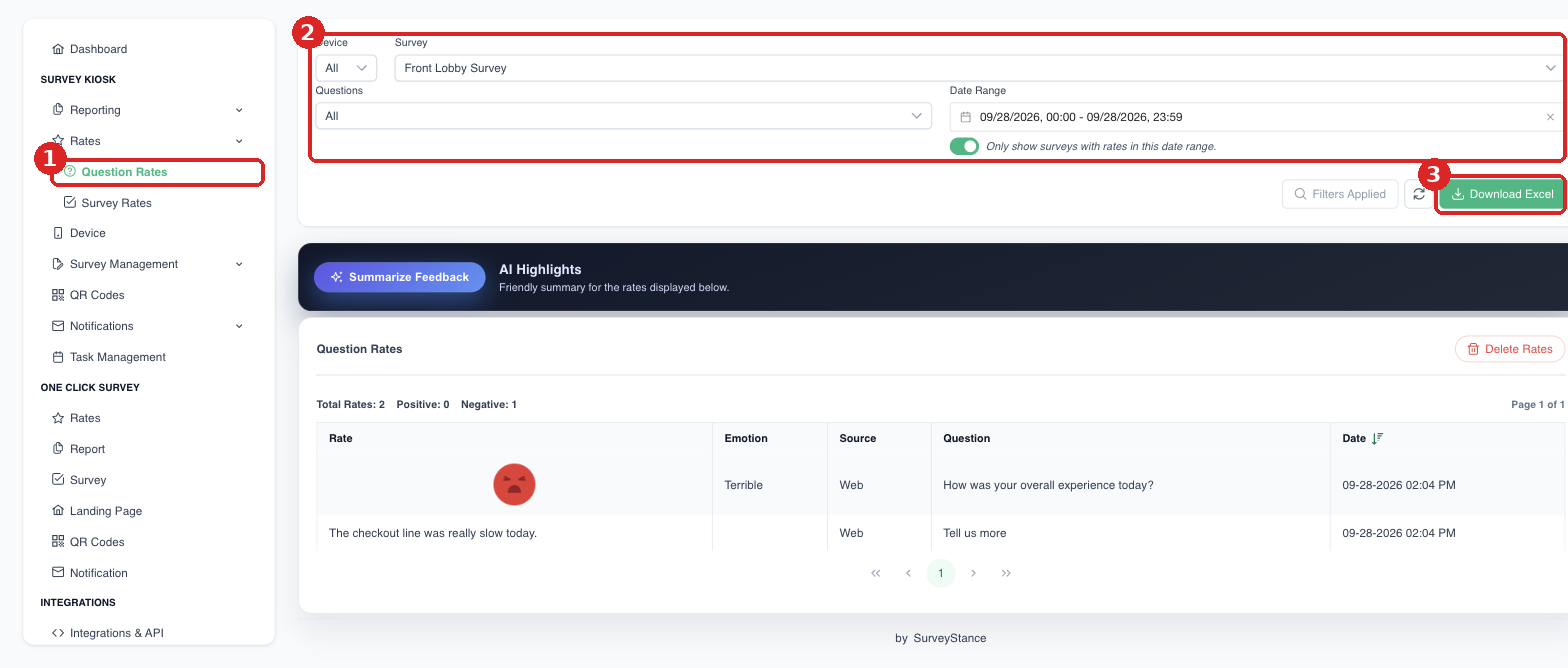
(1) Survey Kiosk > Rates > Question Rates. (2) Set your filters. (3) Click Download Excel.
For totals by survey (total, positive and negative rates), use Survey Kiosk > Rates > Survey Rates.
For OneClick (email signature) surveys, use One Click Survey > Rates.
Tip: To get this export emailed to you automatically every day, set up a Scheduled Report under Integrations > Scheduled Reports.