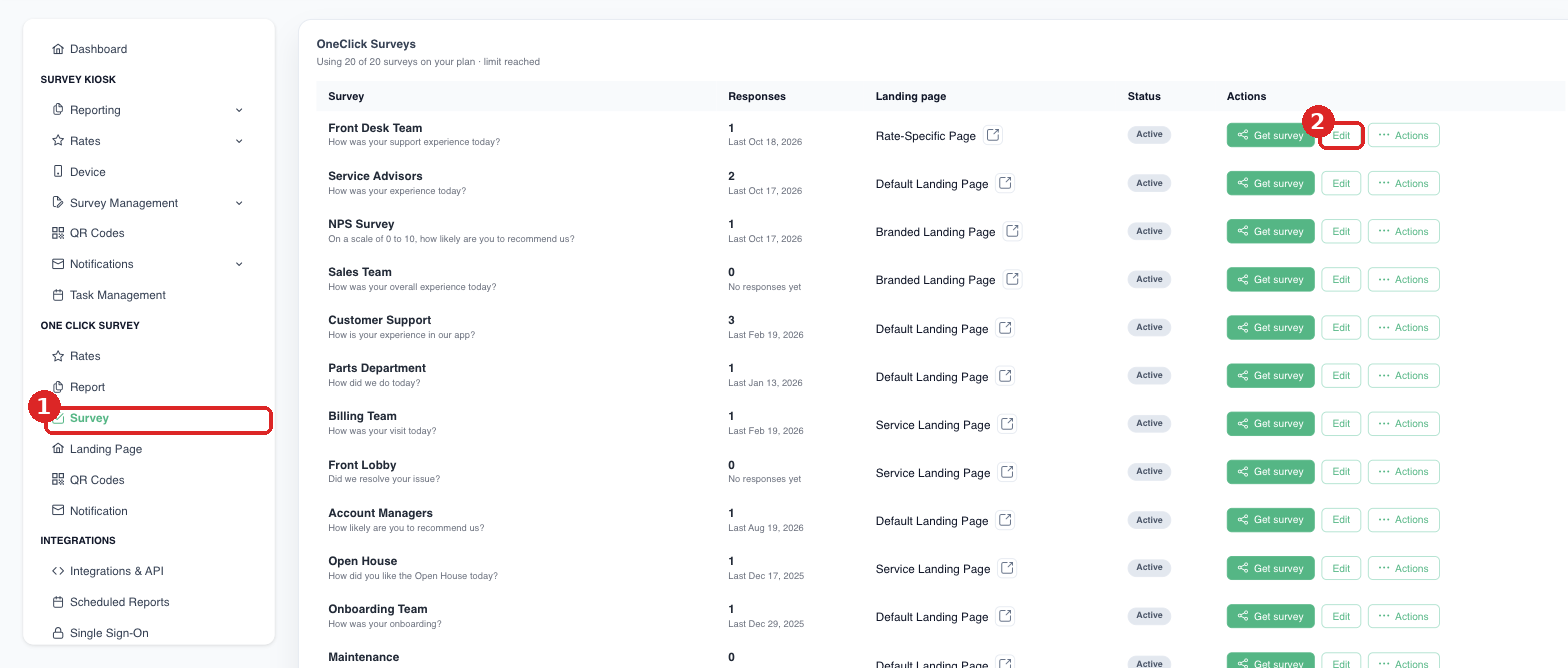
- In the left sidebar, under One Click Survey, click Survey.
- Click Add New Survey to create one, or Edit to change an existing survey. (If your plan limit is reached, the Add button is hidden; edit an existing survey instead or contact us to add more.)
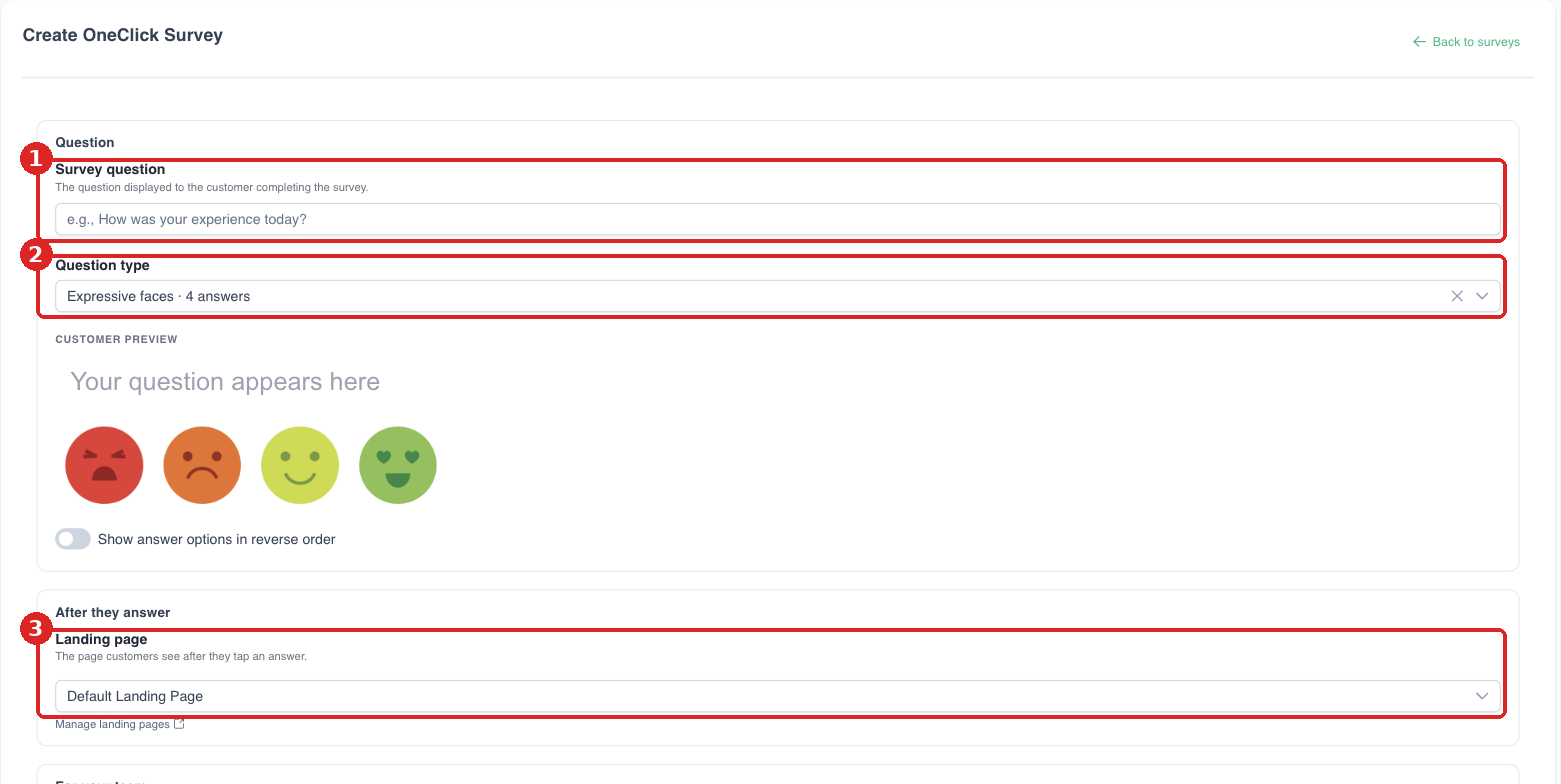
- Enter the Survey question and choose the Question type. The customer preview updates as you go.
- Choose the Landing page customers see after they tap an answer.
- Give the survey a Survey name for your reports, then save.