Updated for the new SurveyStance app: manage questions in app.surveystance.com under Survey Kiosk > Survey Management > Questions, then select your survey.
Add a Condition to your question and have that question only appear based on a prior questions response.
Note: You can't add a condition to Question 1 since there is no prior question for it to reference.
Note: You can't add a conditional question based on another conditional question.
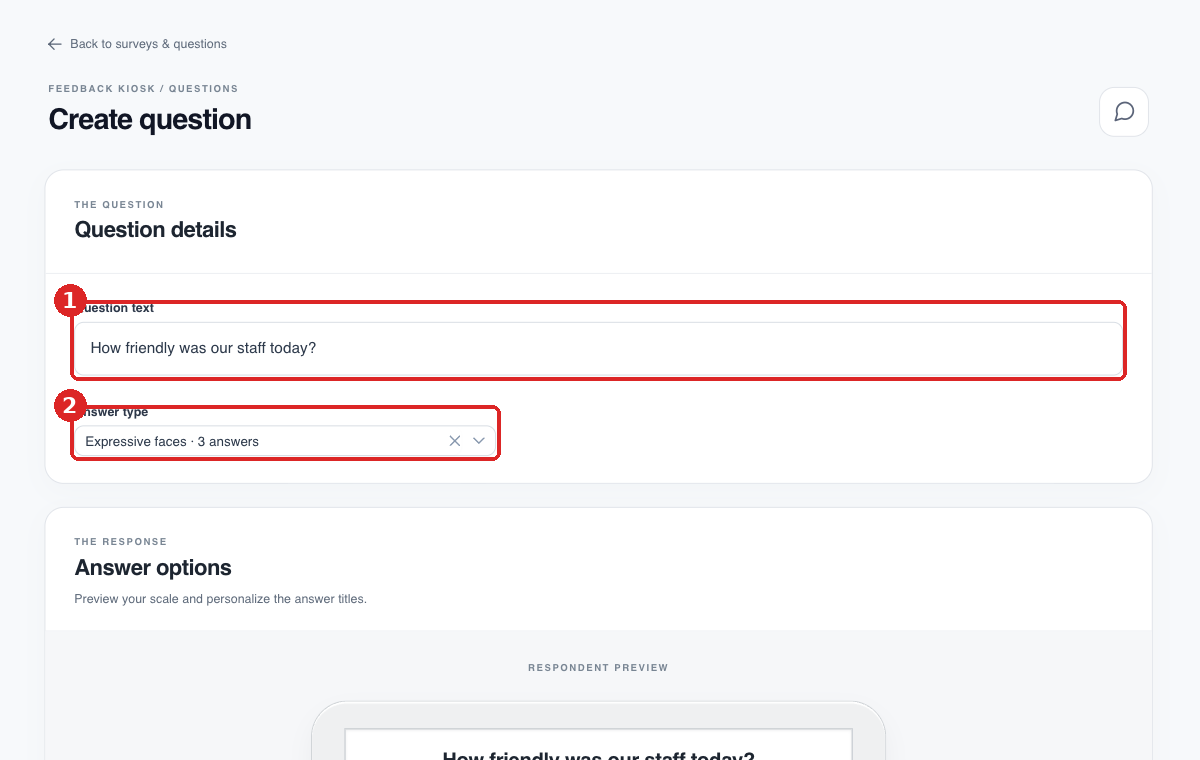
Go to Survey Management > Questions and click Create Question (or Edit an existing question). (1) Enter the question. (2) Choose the answer type.
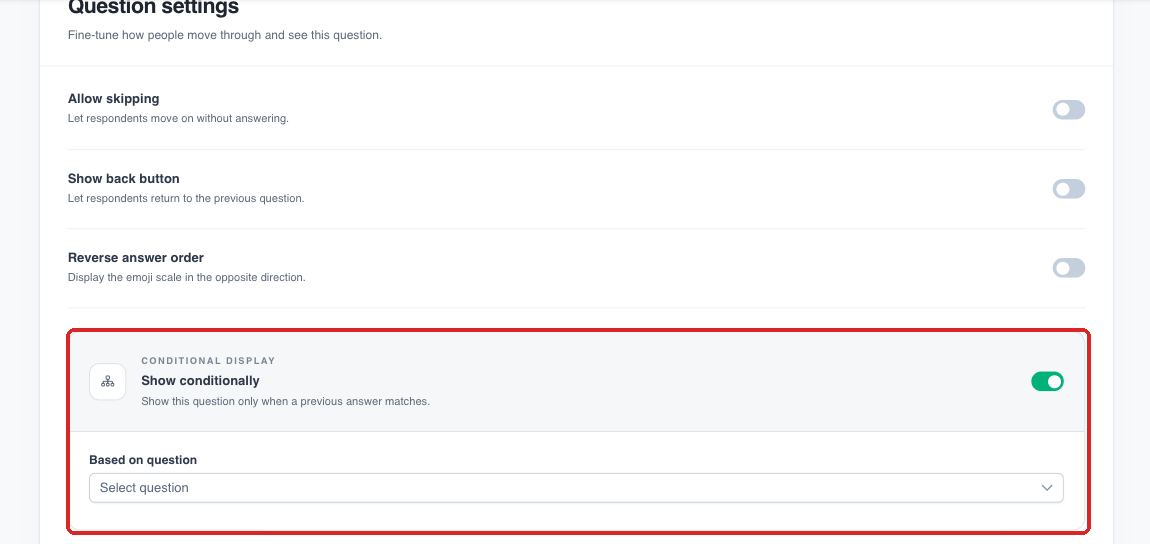
Under Question settings, turn on Show conditionally, choose the earlier question in Based on question, then pick the response(s) that should trigger this question. Click Save question.
Done!
Most Common Use Case:
The example above is the most common use case, we suggest you add a Free Text Form to capture additional feedback if the user selects Terrible feedback.